Halloween Couple AI Video Ideas: Spooky but Romantic (2026)
Spooky but romantic Halloween couple video ideas you can make from two photos, inspired by the viral zombie love story trend, plus captions and posting tips.
Short answer: A simple spooky-but-romantic Halloween video for couples this year is the AI zombie love story. One of you has turned into a zombie, the other takes aim but can't go through with it, and the scene flashes to a warm memory of the two of you. You can make it from two photos and post it before October 31.
Halloween couple content usually means matching costumes. The AI version swaps the costume for a tiny horror movie with a tender ending. Below are six ideas built around that format, how to make a surprise video respectfully, and how to time your post for the days before Halloween.
Quick facts
Question | Answer |
|---|---|
What is the main idea? | A short zombie love story starring the two of you: fear first, love at the end |
What do you need? | Two clear photos of two different people: Photo 1 is the survivor, Photo 2 is the one who turns zombie |
| Format | Vertical 9:16, ready for TikTok, Instagram Reels and YouTube Shorts |
Is it gory? | It doesn't have to be. Many popular versions focus on the hesitation and the hug, and ours has nothing gory in it |
When to post | Any time in October; the days leading up to October 31 are the obvious Halloween window |
| AI label | TikTok and Instagram both offer an AI label you can switch on before posting |
Why the zombie love story is this year's Halloween couple video
The format spread on Instagram and TikTok from late September 2026. According to ZOOOP's write-up of Google Trends data, worldwide searches for "ai zombie trend" were close to zero before September 27 and peaked on October 4. That put it right at the start of Halloween season.
It works for Halloween because it gives you both halves of the holiday mood in a few seconds. In the popular versions, the first half is a horror scene: a cold, abandoned place, a pale loved one with clouded eyes, the survivor taking aim with shaking hands. The second half is pure romance: the aim drops, the arms open, and the scene jumps to a happy memory. Viewers get the scare and the payoff in one clip.
6 spooky-but-romantic video ideas for couples
1. The classic zombie love story
Start with the version everyone recognizes. One of you is the survivor, the other is the zombie. The survivor hesitates, lowers their aim and opens their arms, and then the video jumps to a happy memory. It's the version most closely tied to the trend, so viewers will likely know what they're watching.
2. The haunted carnival
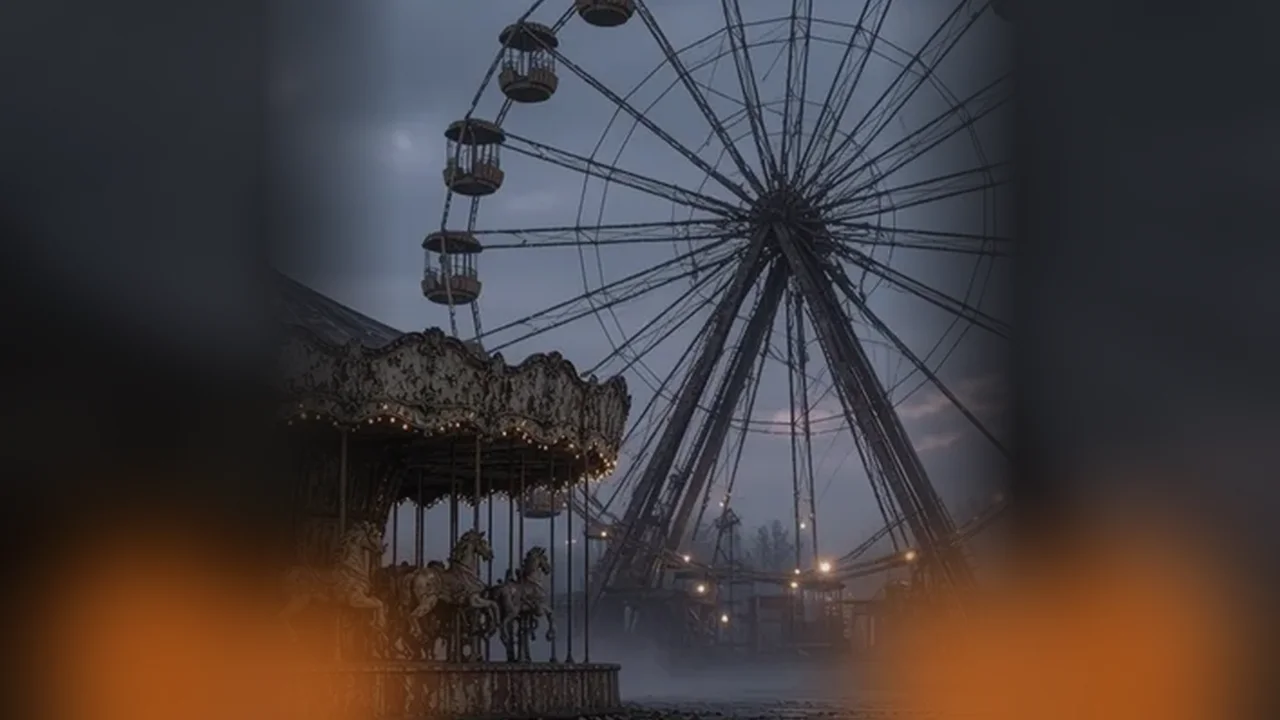
For a more Halloween-night feel, set the story at a carnival after dark. Our Carnival at Night story is our original scene: an abandoned amusement park at night, with a rusty carousel and a slowly turning Ferris wheel. After a white flash, the memory shows the two of you in a hug. It's a haunted house and a date night in one video.
3. "Would you still love me as a zombie?"
Use the old internet question as your hook. Put it on screen in the first second, then let the video answer it. A popular caption format, according to the aivideotrend.net guide, is "Her: Would you still love me as a zombie? Me:" followed by the video. Make it yours with your person's name, or keep it neutral: "Them: Would you still love me as a zombie? Me:"
4. Who turns? Make two versions
Make one video where you are the zombie and one where the other person is. Post them as a pair, or as a two-part carousel, and ask followers which ending hit harder. It can invite comments, and it gives each of you a turn in the dramatic role.
5. The romantic zombie movie homage
Lean into the films the trend reminds people of. Warm Bodies (2013), directed by Jonathan Levine, is a love story between a zombie, R, and a human, Julie. Pair your AI video with a caption that nods to it, or follow it with a short "our version" post. For more film picks, see Zombie Love Story Movies.
6. The costume reveal
Post the AI zombie video first, then a second clip of the two of you in real zombie and survivor costumes at your Halloween party. The AI video sets up the story; the costume clip shows you actually living it. It turns a one-off trend video into a small Halloween series.
Making it a surprise (the respectful way)
Many people want to surprise someone they love with the video. That's sweet, but it still uses their face. Before you upload someone's photo, make sure they're comfortable with it, and only use photos of yourself and adults who have agreed. If you want to keep the details secret, ask a general question first ("Would you be OK with me making one of those AI zombie videos of us?") and keep the final result as the surprise.
A few practical tips for the photos:
- Use one person per photo, facing the camera, with the whole face visible.
- Choose good light and avoid sunglasses, heavy filters or hands covering the face.
- Decide before uploading who plays the survivor and who plays the zombie. Our guide to roles explains the choice: Who Becomes the Zombie?. For more on picking photos, read our photo tips for a zombie couple video.
Captions and posting before October 31
Once your video is ready, a few small choices make it land:
- Lead with the hook. The first second should show the standoff or the on-screen question, not a black frame.
- Sync the emotion. If you add a trending sound in the app, line up its emotional peak with the jump to the happy memory. In our videos, that's the white flash at about the 10-second mark.
- Keep the caption short. "The world ended. I'd still choose you." or "Happy Halloween from the end of the world" both work.
- Label it as AI. On TikTok, tap More options before posting and turn on AI-generated content. On Instagram, turn on the Add AI label toggle before you share a Reel.
- Post in the Halloween window. The days leading up to October 31 are the obvious Halloween window.
For the full posting checklist, read How to Do the Zombie Love Story Trend on TikTok and Reels.
Make your Halloween zombie love story
Our generator is built for this story. Upload two photos of two different people: Photo 1 is the survivor, and Photo 2 is the one who turns zombie. Any couple works: a man and a woman, two women, two men. Then pick a story: Carnival at Night, our original abandoned amusement park scene, or Cabin Romance, which flashes from a cabin to the two of you standing in a sunset wheat field. Each video runs 15–16 seconds: a zombie scene of about 10 seconds, a white flash, then a memory of about 6 seconds. It's vertical 9:16, 480p, with sound effects, no watermark and nothing gory. Credits cost $4.99 for one video, $9.99 for three and $14.99 for five, which works out to about $3 a video. If a generation fails, the credit is returned automatically. Start here.
FAQ
What is a good Halloween video idea for couples? The AI zombie love story is one of the most recognizable this season: one of you becomes a zombie, the other can't go through with it, and the video jumps to a happy memory together.
Can I make a Halloween couple video from photos only? Yes. Two-photo AI generators build the scene from one photo of each person, so you don't need to film anything.
Is the zombie love story too scary for a romantic surprise? Usually not. Many popular versions avoid gore and focus on the hesitation and the hug. Ours has nothing gory in it, and it ends on a warm memory of the two of you.
Do I need to label my AI Halloween video? Both apps let you add an AI label before posting. According to guides summarizing Instagram's Help Center, Meta asks for a label on photorealistic AI video, and TikTok has an AI-generated content setting for the same purpose. Switching it on is the safe choice.
Can we both be the zombie? The story has one survivor and one zombie, so the easy answer is two videos: make one, then upload the photos in the other order.
Sources
- ZOOOP, "AI zombie trend" (Google Trends timing, peak on October 4, 2026): https://zooop.ai/blog/ai-zombie-trend
- aivideotrend.net guide (common caption "Her: Would you still love me as a zombie? Me:"): https://aivideotrend.net/zh/guides/how-to-make-ai-zombie-trend
- Wikipedia, Warm Bodies (film): https://en.wikipedia.org/wiki/WarmBodies(film)
- TikTok Help Center, AI-generated content: https://support.tiktok.com/en/using-tiktok/creating-videos/ai-generated-content
- Instagram "Add AI label" steps, as summarized from Instagram Help Center: https://www.zolyp.com/blog/how-to-label-ai-content-on-instagram